JoliMediaSyliusBundle, a New Bridge for Your Sylius Projects
Does the excellent Sylius E-commerce framework even need an introduction?
If Sylius has established itself in the e-commerce ecosystem, it’s largely thanks to its ability to adapt to a wide variety of business needs without imposing a rigid architecture. Its extension system allows for gradual feature evolution while preserving the framework’s core mechanisms.
Late last year, we launched JoliMediaBundle, a Symfony bundle dedicated to managing media libraries.
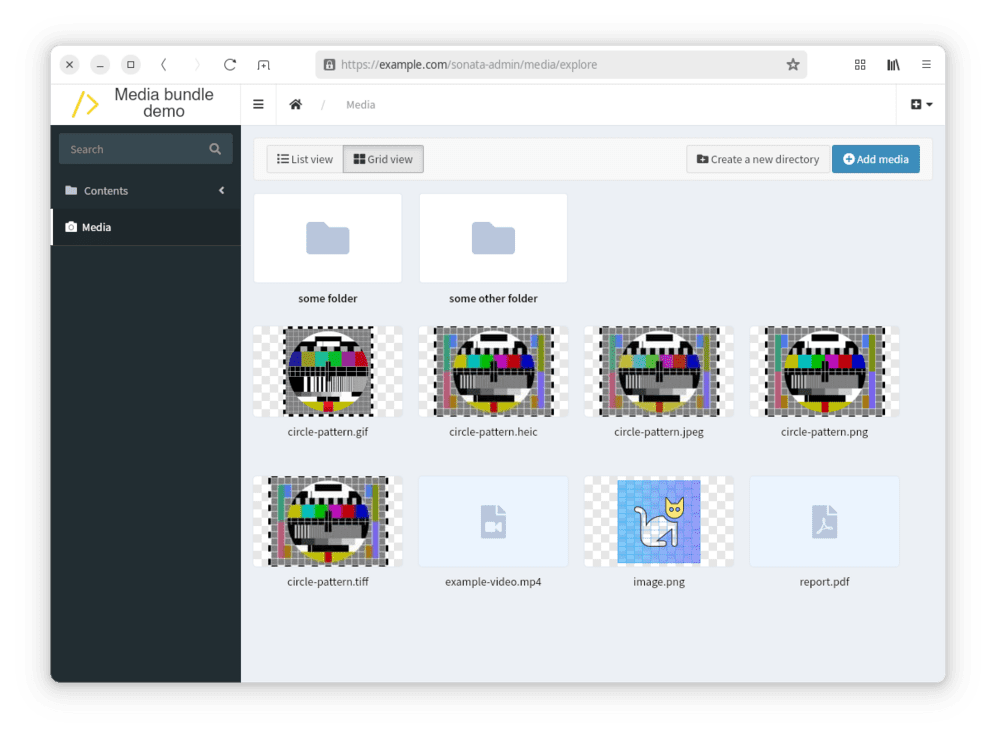
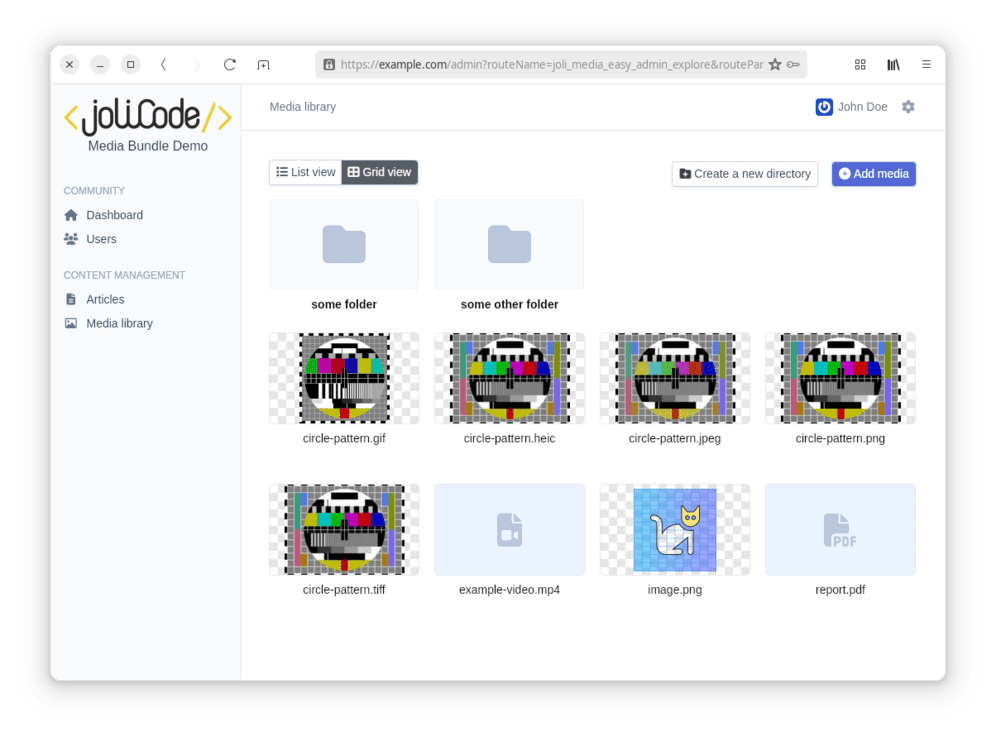
It already came with two bridges for SonataAdmin and EasyAdmin.
Section intitulée the-bridge-s-originThe Bridge’s Origin
Having recently joined JoliCode as a Sylius expert, I quickly started discussions around integrating the MediaBundle into this ecosystem. That’s how the idea for this new bridge was born, aiming to seamlessly connect media management with Sylius.
Section intitulée media-management-in-syliusMedia Management in Sylius
Before introducing this new bridge, it’s useful to take stock of how media management works in Sylius today.
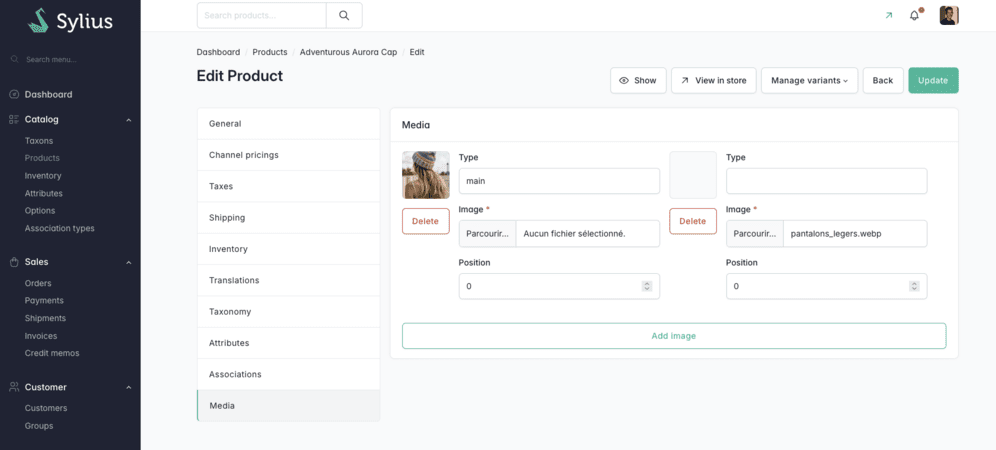
By default, Sylius provides a simple but effective system for associating images with the main catalog resources, such as products or taxons. This management relies on image entities directly linked to resources, with some basic metadata (type, position, etc.).
This approach perfectly meets the typical needs of an e-commerce site: illustrating a product, displaying category visuals, or managing simple galleries.
However, certain limitations emerge as needs become more cross-cutting. Specifically:
- the difficulty of easily reusing the same media in multiple places without duplication;
- the lack of centralized file organization (folders, tags, search…);
- scattered media management, specific to each resource.
In practice, each entity embeds its own files, which works well at small scale but quickly becomes cumbersome when media volume increases or multiple teams are involved.
Section intitulée the-sylius-and-jolimediabundle-bridgeThe Sylius and JoliMediaBundle Bridge
It is precisely this observation that motivated the reflection around a more centralized and reusable media management within the Sylius ecosystem, leveraging the JoliMediaBundle developed at JoliCode. To address these limitations, we developed the Sylius bridge for this bundle. The goal is not to modify how Sylius works or to rewrite its media management, but to add a clean integration layer based on its extension mechanisms.
In a Sylius project, media are used in product images, taxon images, and administrator avatars. These uses are well integrated into the native model but remain isolated from one another. The bridge enhances this by introducing a centralized media library.
It is also designed to be compatible with the broader Sylius Stack, not just an e-commerce context. It can thus be integrated into Sylius back-offices used as application bases, where media management is a cross-cutting need across multiple functional domains. This allows using the same centralized media library approach in more general projects built with Sylius.
Concretely, the approach relies on simple and targeted extensions:
- extending Sylius entities when necessary;
- replacing back-office form fields to use the JoliMediaBundle media selector;
- progressive integration via the extension points provided by Sylius.
This strategy preserves current business usage while introducing a more coherent and reusable media management. Each image (product, taxon, administrator) keeps its role, but now fits within a common media library logic.
The integration remains deliberately unobtrusive: the bridge acts as an overlay that plugs into the Sylius ecosystem without modifying its foundations.
It is this progressive approach that makes adoption possible in an existing project, without data model overhaul or functional disruption.
The question then becomes more concrete: how does this bridge technically fit into Sylius, and what mechanisms are used to cleanly connect the media library to the existing model?
Section intitulée simple-integration-into-syliusSimple Integration into Sylius
Once you have installed the Media bundle, you need to enable the Sylius bridge:
// filepath: config/bundles.php
return [
    // ...
    JoliCode\MediaBundle\Bridge\Sylius\JoliMediaSyliusBundle::class => ['all' => true],
];
Then, you enable the routes for the back-office:
# filepath: config/routes/joli_media.yaml
_joli_media_sylius:
    resource: "@JoliMediaSyliusBundle/src/Admin/Controller/"
    prefix: /admin/media
And finally, you import the package configuration:
# filepath: config/packages/joli_media_sylius.yaml
imports:
    - { resource: "@JoliMediaSyliusBundle/config/app.php" }
The idea is to leverage the classic extension mechanisms of Symfony and Sylius to remain as non-intrusive as possible.
Section intitulée a-reusable-trait-for-mediaA Reusable Trait for Media
The first building block consists of using a trait that adds media management to any business entity:
You can associate a media with a Sylius Doctrine entity while keeping a simple domain logic. This will synchronize the existing path field in Sylius.
Section intitulée extending-sylius-entitiesExtending Sylius Entities
This approach integrates naturally with existing entities. For example, for product images:
namespace App\Entity\Product;

use Doctrine\ORM\Mapping as ORM;
+use JoliCode\MediaBundle\Bridge\Sylius\Doctrine\ORM\EntityWithMediaImageTrait;
use Sylius\Component\Core\Model\ProductImage as BaseProductImage;

#[ORM\Entity]
#[ORM\Table(name: 'sylius_product_image')]
class ProductImage extends BaseProductImage
{
   +use EntityWithMediaImageTrait;
}
This way we extend a Sylius entity without modifying its core, only adding the ability to handle a media via the bundle.
Section intitulée back-office-integrationBack-office Integration
Finally, on the administration side, the integration happens through a Sylius form extension. The native file field is replaced by a dedicated component from the JoliMediaBundle:
class ProductImageTypeExtension extends AbstractTypeExtension
{
   public function buildForm(FormBuilderInterface $builder, array $options): void
   {
       $builder->add('file', MediaChoiceType::class, [
           'property_path' => 'media',
       ]);
   }

   public static function getExtendedTypes(): iterable
   {
       yield ProductImageType::class;
   }
}
This allows plugging the media library directly into the Sylius administration interface without breaking existing forms.
These form extensions are directly provided by the bridge, you just need to declare them in Symfony:
# config/services.yaml
services:
   JoliCode\MediaBundle\Bridge\Sylius\Admin\Form\Extension\AvatarImageTypeExtension: null
   JoliCode\MediaBundle\Bridge\Sylius\Admin\Form\Extension\ProductImageTypeExtension: null
   JoliCode\MediaBundle\Bridge\Sylius\Admin\Form\Extension\TaxonImageTypeExtension: null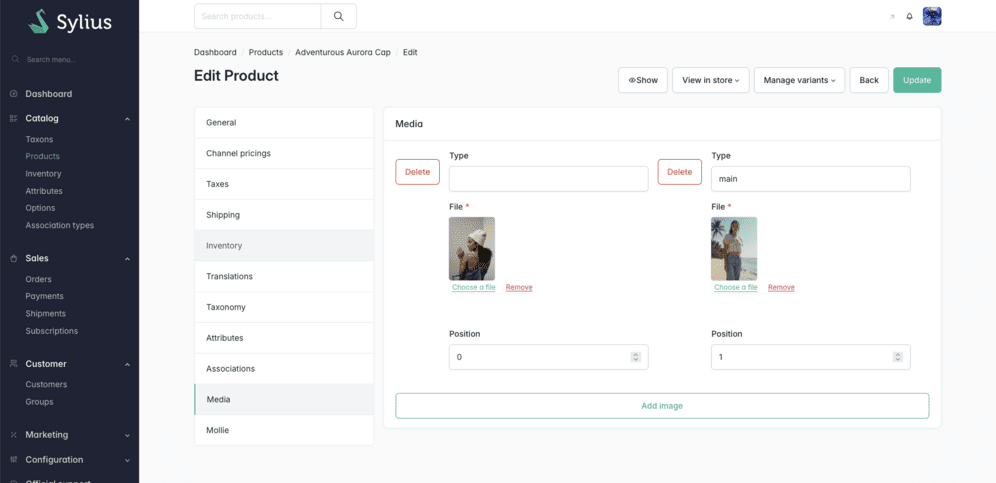
The File input is replaced by the one from the Media bundle.
For the more observant, you may notice that we modified the template to remove the preview provided natively by Sylius.
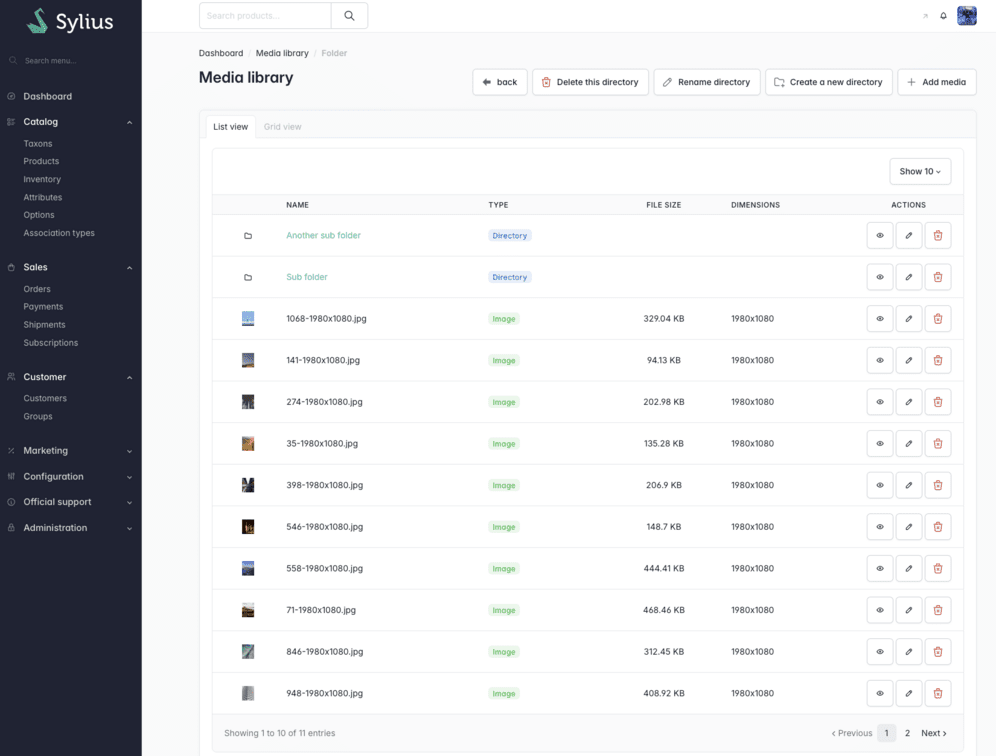
The Media Library is the standout feature of the Media bundle. It allows you to view and organize your file hierarchy.
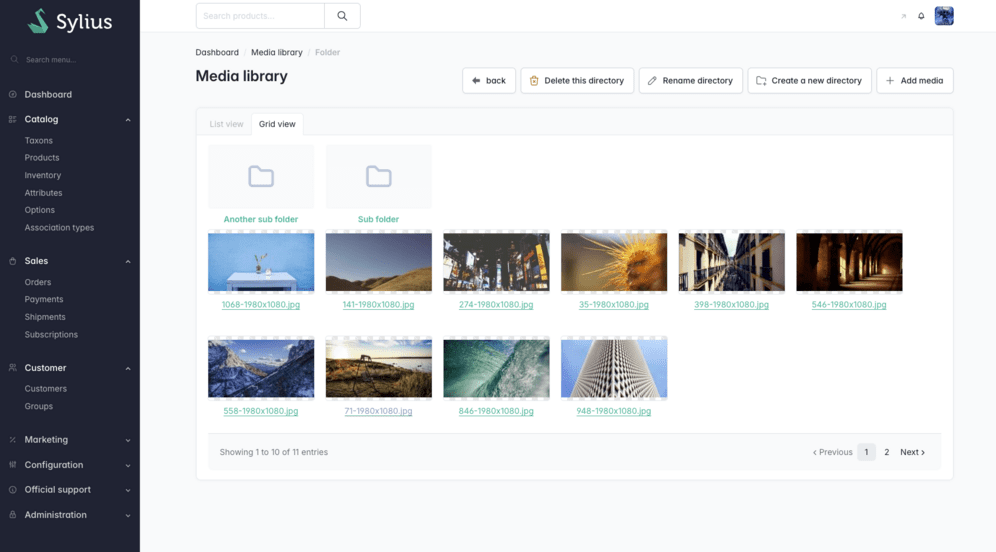
A “Grid” view is also available to display images in a larger format.
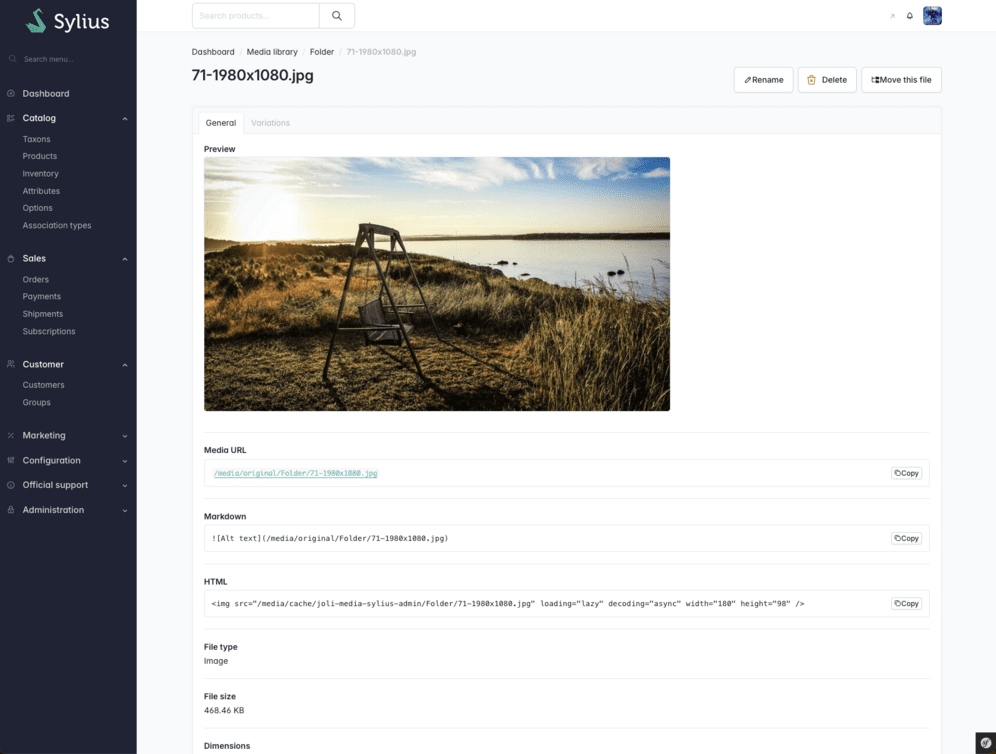
A media details page provides additional information as well as integration options.
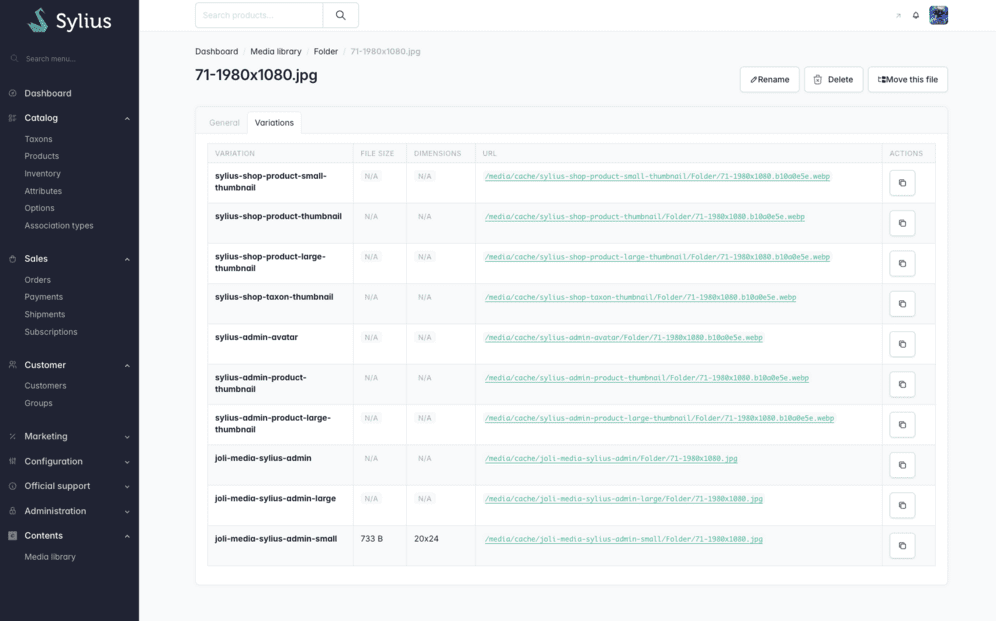
A “Variations” tab is available to view the different variants of your media, with their respective sizes, formats, and dimensions.
This makes it possible to use the JoliMediaBundle compression system instead of the native Sylius system (which uses LiipImagine).
Let’s replace the images in the product list:
<?php

namespace App\Grid\Mutator;

use Sylius\Bundle\AdminBundle\Grid\ProductGridInterface;
use Sylius\Bundle\GridBundle\Builder\Field\TwigField;
use Sylius\Component\Grid\Builder\GridBuilderInterface;
use Sylius\Component\Grid\Attribute\AsGridMutator;
use Sylius\Component\Grid\Mutator\GridMutatorInterface;

#[AsGridMutator(
    grid: 'sylius_admin_product',
    // or
    grid: ProductGridInterface::NAME // constant added in Sylius 2.3
)]
class ReplaceImageFromProductGridMutator implements GridMutatorInterface
{
    public function __invoke(GridBuilderInterface $gridBuilder): void
    {
        $gridBuilder
            ->withFields(
                TwigField::create('image', template: 'admin/product/grid/field/image.html.twig'),
            )
        ;
    }
}
This way we replace the image field using our own Twig template.
<!-- templates/admin/product/grid/field/image.html.twig ->
{% from '@JoliMediaSylius/admin/shared/helper/product_image.html.twig' import image %}


<div class="thumbnail-box-image">
   {{ image(data) }}
</div>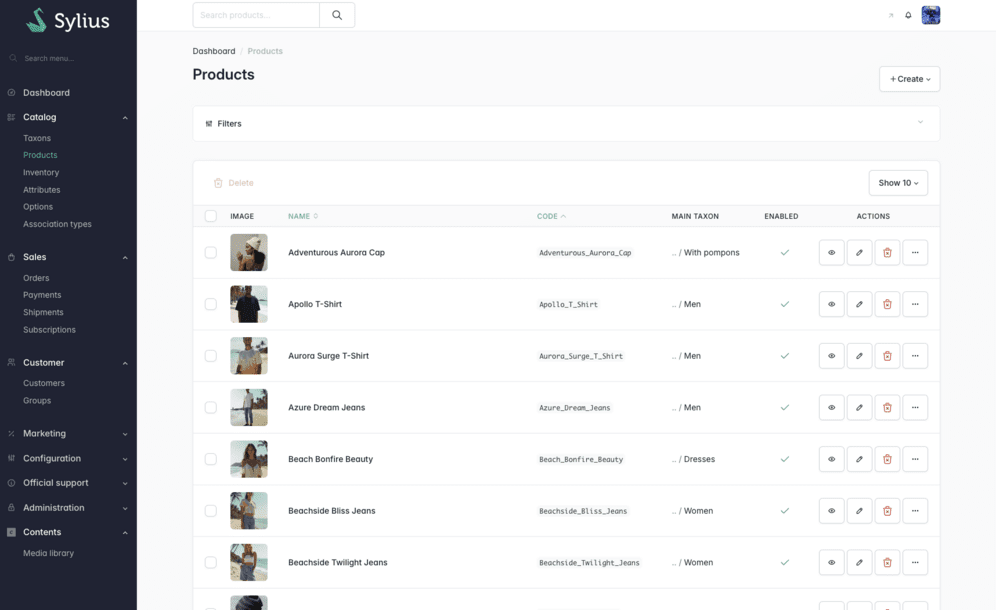
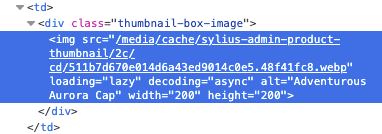
The result looks identical at first glance, but you can see that the image has been processed by the JoliMediaBundle upon closer inspection:
Section intitulée usage-in-the-shopUsage in the Shop
Since Sylius’s core mechanism is not modified, images continue to work as before on the front end. They can therefore be processed directly by LiipImagine by default, without requiring any specific adaptation. In a first step, it is not mandatory to go further than this administration-side integration. It is then possible to gradually improve image rendering quality by making the necessary adjustments on the front end, as described in the bundle documentation.
Section intitulée reorganizing-your-media-libraryReorganizing Your Media Library
A change propagation mechanism in your entities allows you to freely move or rename your media without breaking existing references in your application. This approach not only makes it easier to search for and identify media in the back-office, but also facilitates the gradual reorganization of the media library over time, whether for restructuring a file hierarchy, standardizing file names, or grouping certain media by functional domain.
Section intitulée conclusionConclusion
Sylius already provides a solid foundation for media management in an e-commerce context. The JoliMediaBundle brings a more cross-cutting and structured vision of file management. The bridge between the two does not seek to oppose these approaches, but to make them coexist cleanly. In practice, this combination allows preserving the simplicity of the Sylius model while introducing a centralized, reusable media library better suited to projects that grow or become more complex. It is also a way to extend Sylius’s very philosophy: remain extensible, without imposing rigidity, while leaving the freedom to adapt the architecture to the project’s actual needs.
Commentaires et discussions
Nos articles sur le même sujet
JoliMediaBundle, a new media bundle for your Symfony projects
This is a short story that begins in early 2025 when, while proofreading an article we were about to publish on the JoliCode blog, I noticed an image with rather questionable graphic quality. "— What a shame…
par Xavier Lacot
Nos formations sur ce sujet
Notre expertise est aussi disponible sous forme de formations professionnelles !

Sylius
Sylius est un framework eCommerce opensource basé sur Symfony
Ces clients ont profité de notre expertise

Groupama Épargne Salariale digitalise son expérience client en leur permettant d’effectuer leurs versements d’épargne salariale en ligne. L’application offre aux entreprises une interface web claire et dynamique, composé d’un tunnel de versement complet : import des salariés via fichier Excel, rappel des contrats souscrits et des plans disponibles, …

Nous avons entrepris une refonte complète du site, initialement développé sur Drupal, dans le but de le consolider et de jeter les bases d’un avenir solide en adoptant Symfony. La plateforme est hautement sophistiquée et propose une pléthore de fonctionnalités, telles que la gestion des abonnements avec Stripe et Paypal, une API pour l’application…

En tant que joaillier 100 % numérique, l’équipe de Courbet Paris a souhaité se doter d’une plateforme eCommerce, capable d’offrir une expérience moderne qui revalorise l’acte d’achat de produits de joaillerie sur internet. JoliCode a accompagné leur équipe en développant une plateforme robuste, mais aussi évolutive, afin de répondre aux enjeux business…